Introduction
cmdr is a POSIX-compliant command-line argument parser and app framework, an app setting manager included.
Documentation
Welcome to the docs! Here is a manual about cmdr, which provides command-line argument parser to help your CLI app developing.
News about The Documentation and cmdr.v2
About Documentation
This documentation updated all of sample codes to v2.1.35.
Since cmdr v2.1.16, all examples/*.go are removed into examples/common/. It caused because some cycle imports could destory the relations while we are sharing some testing codes.
About cmdr.v2
See its CHANGELOG Here.
Overview
Writing a tiny CLI app with cmdr is easy. Here it is,
package main

import (
	"context"

	"github.com/hedzr/cmdr/v2"
	"github.com/hedzr/cmdr/v2/cli"
)

func main() {
	app := cmdr.New().
		Info("tiny0-app", "0.3.1").
		Author("The Example Authors") // .Description(``).Header(``).Footer(``)
	app.Cmd("jump").
		Description("jump command").
		Examples(`jump example`). // {{.AppName}}, {{.AppVersion}}, {{.DadCommands}}, {{.Commands}}, ...
		OnAction(func(ctx context.Context, cmd cli.Cmd, args []string) (err error) {
			println("jump command:", cmd)
			if cmd.FlagBy("full").GetTriggeredTimes() > 0 {
				// for dummy store, `if cmd.Store().MustBool("full") {}` cannot work
				println("Dump", cmd.Set().Dump()) // nothing to display since a dummy store created
			}
			return
		}).
		With(func(b cli.CommandBuilder) {
			b.Flg("full", "f").
				Default(false).
				Description("full option here").
				Build()
		})

	ctx := context.Background() // with cancel can be passed thru in your actions
	if err := app.Run(ctx); err != nil {
		println("Application Error:", err)
	}
}Now let's run it,
$ go run ./examples/tiny0/

...[help screen ignored here]

$ go run ./examples/tiny0/ jump
jump command: (0x1024be4c0,0x140000766c8)

$ go run ./examples/tiny0/ jump --full
jump command: (0x1024be4c0,0x140000766c8)
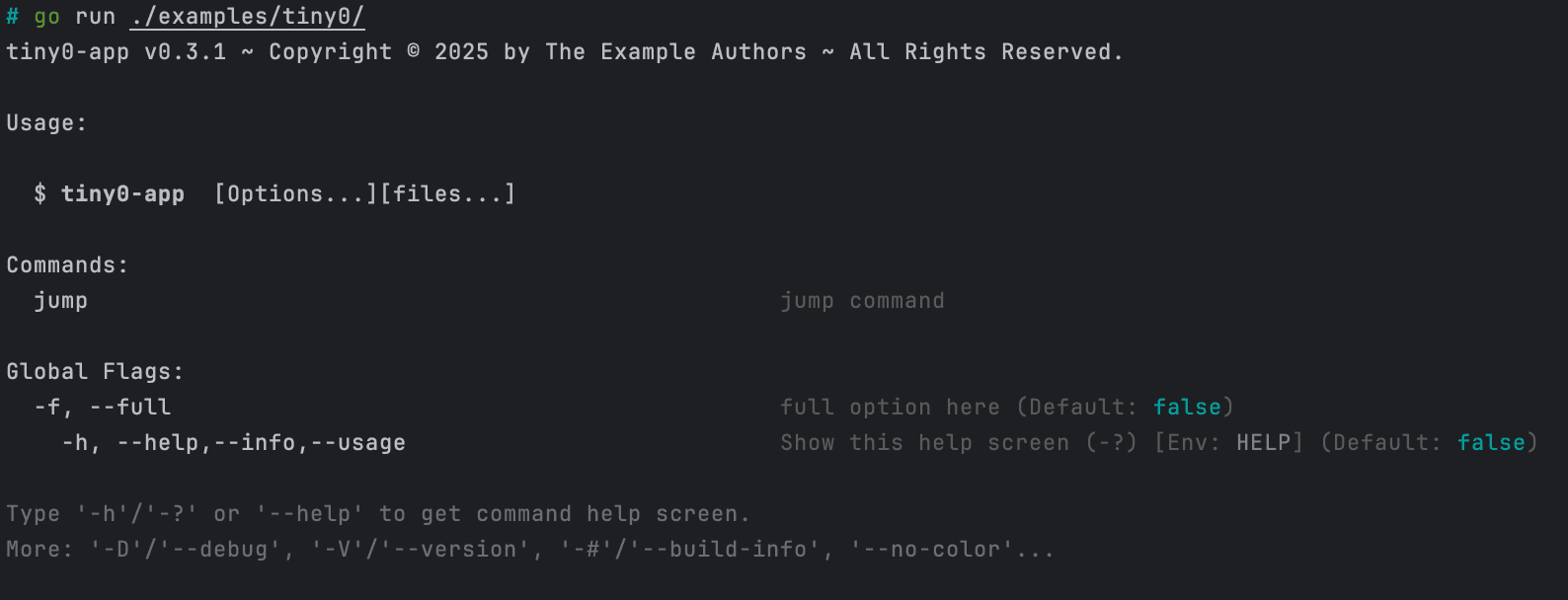
DumpThe help screen looks like,
Deeper In It
In this tiny app, we do not refer to a standard Store, so a dummy one was created internally, which would discard any requests.
Due to the reason, The call to cmd.Store().MustBool("full") cannot return the proper value input by end user. So the replacement is, detecting the hit times of full in parsing will tell us that --full or -f had been typed on command line.
cmdr.ParsedState() will provides the details of parsing state.
But it's not used here.
As a fact, when user typed app --full -f, the hit times would be 2.
cmd.FlagBy("full") could locate to the right *Flag object by it long-title.
Similarly, cmd.SubCmdBy("xxx") could be used for look up a subcommand.
Both of them are searching for the child directly. But if you want the descendant children recursively, cmd.(*cli.CmdS).FindSubCommandRecursive(ctx, longTitle, wide) can do it. The functions include:
FindSubCommandFindSubCommandRecursiveFindFlagFindFlagRecursive
As the methods of *cli.CmdS, they aren't exposed on interface Cmd currently. So it might need a Type Assertion before you can access them.
Using Create()
Create() and blueprint example gives you a best-practise in engineering, which has a better structure and layout to compliant with engineering management.
See also:
blueprintin docs: examples/blueprint
Using struct-value and Tag
Create().BuildFrom(structValue, opts...) can rapidly make the whole command hierarchy with the passing struct-value.
See also:
Design
cmdr.v2 takes these dependencies:
Also cmdr.v2 refers to go stdlib and golang.org/x libraries.
In generally, we do not refer to other third-party libraries.
But here's a exception while you're using hedzr/store and hedzr/cmdr-loaders for loading the external configuration files/sources. For parsing the file format such as TOML and YAML, we need those common libraries, for example, gopkg.in/yaml.v3, and so on.
cmdr.v2 try to make the dependencies more concise. This would provide a simple supplier chain to you.
All of apps based on cmdr.v2 have a builtin command sbom to print the supplier information chain with YAML-friendly format.
Learn More
Cmdr(-go) v2 Documentation
Cmdr(-go) v1 Documentation
Learn more about `hedzr/store`
Learn more about `hedzr/evendeep`
Learn more about `hedzr/logg`
Learn more about `hedzr/is`
Footnotes
Footnotes
What is Next?
How is this guide?
Last updated on